
Build a customized database of cargo spaces
Import cargo and cargo space data
Import data for both cargo and cargo spaces
Plan multi-level loading: arrange goods onto pallets and place them into cargo spaces within one project
Build a customized database of cargo spaces
Import cargo and cargo space data
Import data for both cargo and cargo spaces
Integrate via API access
Plan multi-level loading: arrange goods onto pallets and place them into cargo spaces within one project
Build a customized database of cargo spaces
Import cargo and cargo space data
Import data for both cargo and cargo spaces
Plan multi-level loading: arrange goods onto pallets and place them into cargo spaces within one project
Integrate via API access
Build a customized database of cargo spaces
Import cargo and cargo space data
Import data for both cargo and cargo spaces
Plan multi-level loading: arrange goods onto pallets and place them into cargo spaces within one project
Build a customized database of cargo spaces
Import cargo and cargo space data
Import data for both cargo and cargo spaces
Integrate via API access
Plan multi-level loading: arrange goods onto pallets and place them into cargo spaces within one project
Build a customized database of cargo spaces
Import cargo and cargo space data
Import data for both cargo and cargo spaces
Plan multi-level loading: arrange goods onto pallets and place them into cargo spaces within one project
Integrate via API access
Build a customized database of cargo spaces
Import cargo and cargo space data
Import data for both cargo and cargo spaces
Plan multi-level loading: arrange goods onto pallets and place them into cargo spaces within one project
Build a customized database of cargo spaces
Import cargo and cargo space data
Import data for both cargo and cargo spaces
Integrate via API access
Plan multi-level loading: arrange goods onto pallets and place them into cargo spaces within one project
Build a customized database of cargo spaces
Import cargo and cargo space data
Import data for both cargo and cargo spaces
Plan multi-level loading: arrange goods onto pallets and place them into cargo spaces within one project
Integrate via API access
Plan description
For independent planners and small operations. Manage day-to-day loading calculations from one dedicated account.
Plans
| 1 month | 25 € | 25 € |
| 6 months | 120 € | 20 € |
| 12 months | 180 € | 15 € |
Plan: 1 User Period: 1 month Users:1 Cargo Spaces:2 Cargo:1000
| Feature |
|---|
| Adjust the loading order for cargo spaces |
| Access the system from any device |
| Export reports with ease |
| Build a customized database of cargo spaces |
| Import cargo and cargo space data |
| Import data for both cargo and cargo spaces |
| Keep a history of calculations |
| Integrate via API access |
| Plan multi-level loading: arrange goods onto pallets and place them into cargo spaces within one project |

Tailor the loading algorithm to suit your specific tasks
Our design services offer full customization to match your business’s visual identity and specific operational needs. We tailor the interface, functionality, and layout to align with your processes, ensuring a seamless user experience while optimizing efficiency.
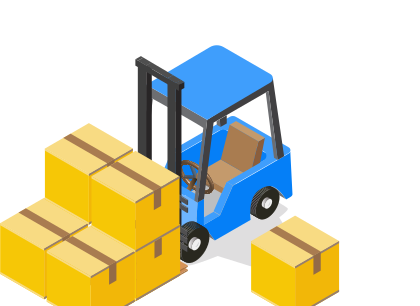
Adapt the loading algorithm to your specific requirements
The system's algorithms are fine-tuned to meet the unique requirements of your operations. Whether it's bulk cargo, fragile goods, or specialized containers, we customize the loading and space optimization algorithms for maximum efficiency and accuracy.

Tailor the reporting system to fit your business needs
Customizable reports will reflect your specific metrics and operational processes. Whether it's modifying the display of loading steps or adjusting the content of the reports, we ensure that the reports provide clear, actionable insights. This includes adapting standard loading instructions and functional elements to make the reports more relevant and useful for your team.
Create a new project

Add cargo

Add cargo spaces

Specify important cargo parameters

Get calculation results in 3D